What is Narrative Reporting within Oracle EPM Cloud ? A Detailed Description
Reporting is a critical function in most companies, whatever, if reports are internal for management or quarterly updates or external to meet statutory and regulatory requirements.
Also gathering informations from various sources ,review it and publish it is a core function of business.
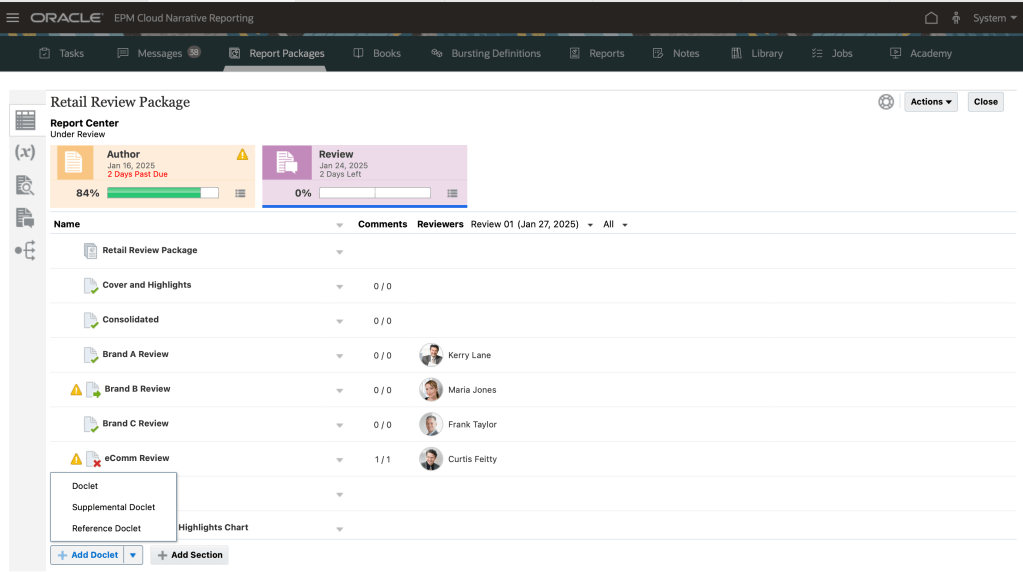
Some of the challenges are: Managing multiple contributors if you have multiple contributing authors , having multiple reviewers each one to review a specific section of the report , having multiple approvers , or how to merge the content changes into a single document , all is more complicated and complex to manage.
Oracle EPM is Oracle Entreprise Performance Management
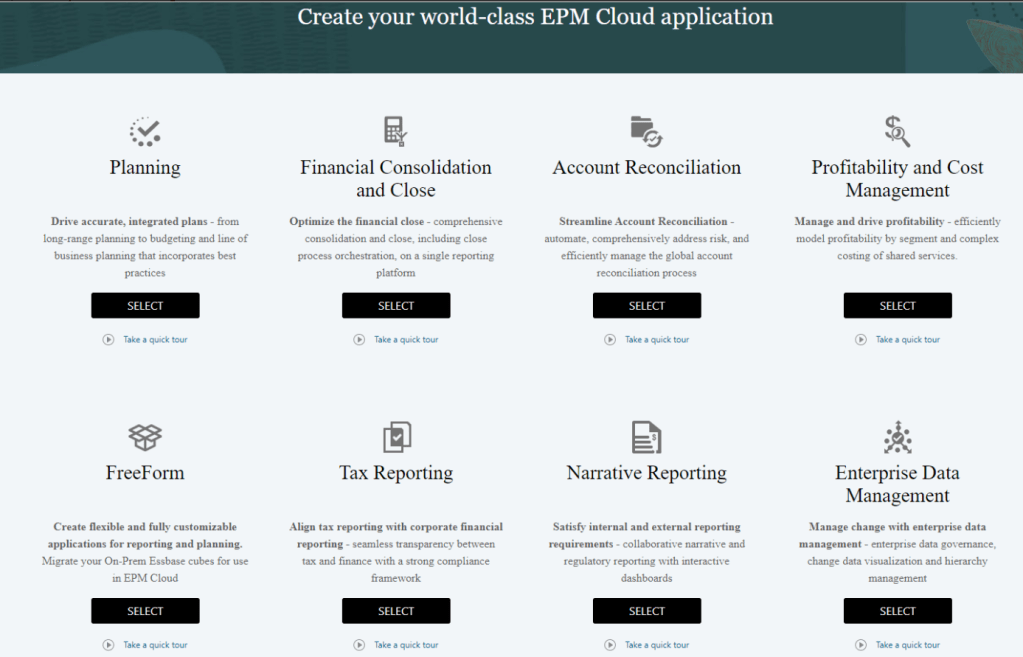
Oracle Cloud EPM Suite = { Planning and Forecasting + Profitability and Cost Mgt + Freeform + Consolidation and Close + Account Reconciliation + Tax Reporting + Narrative Reporting + Entreprise Data Mgt + EPM for. Sustainability }
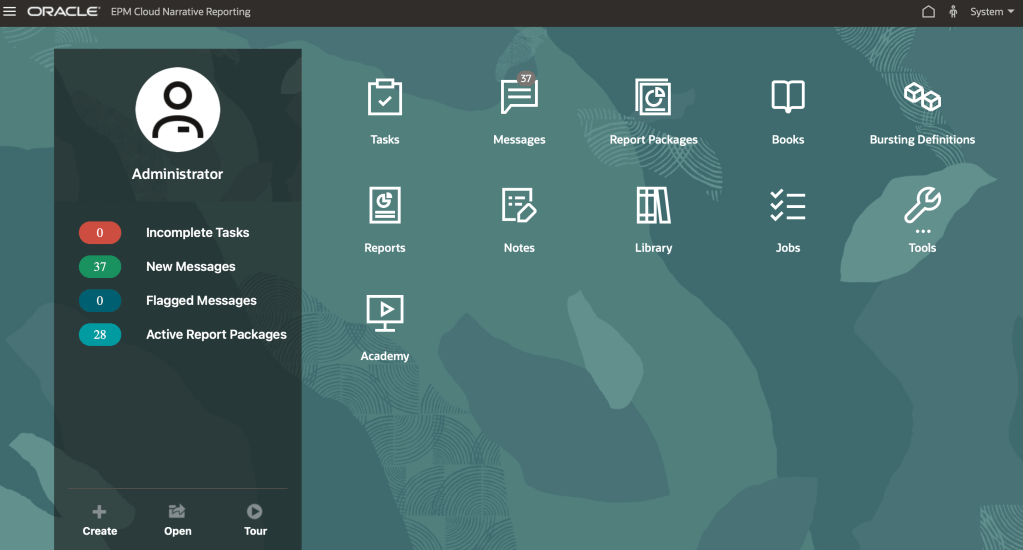
Narrative Reporting , is part of the Oracle Cloud EPM [Entreprise Performance Management] suite. It combine the data and narrative to generate a narrative report that includes both textual narrative, as well as numeric data, grids and charts. All done through the report Package feature that allows you to set up some workflow and collaboration to define a process, to assemble a narrative report, in Word , PPT, PDF format.
As part of Narrative Reporting , you find Report Packages, that is an unified structure for any report , it provides content workflow and approval management.
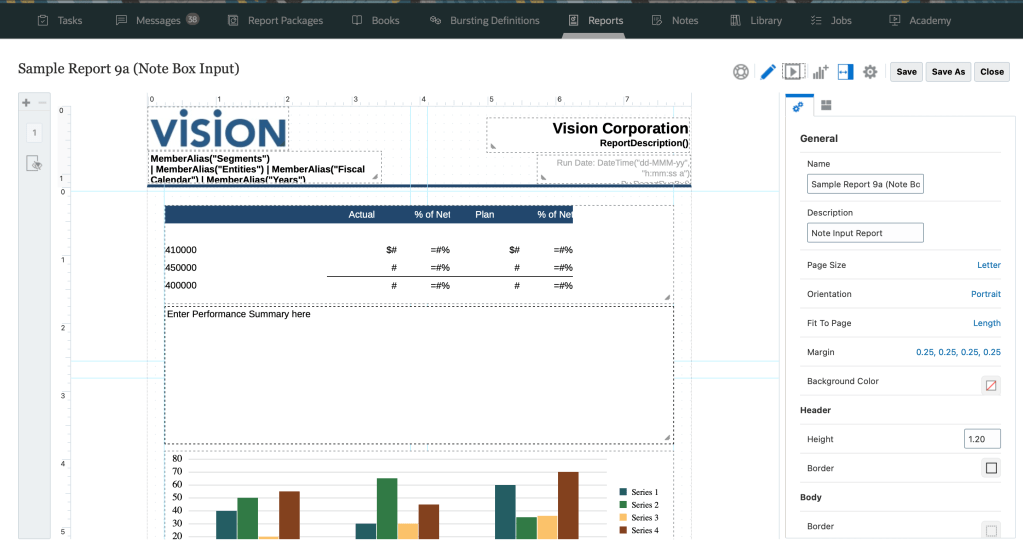
As part of Narrative Reporting , in addition to Report Packages, you have the Reports feature, introduced in narrative reporting and in the EPM Cloud Platform business processes.
You have multiple types of objects, as you can see with charts, notes , text objects and grids.
These can be in multiple formats in like an interactive HTML. view, PDF, Excel.
Narrative Reporting support all, the multi-dimensional or Essbase-backed type sources, like Cloud Essbase platform, ERP general ledger, the ledger and sub ledgers that are relational-based, as well as Essbase Cloud sources.
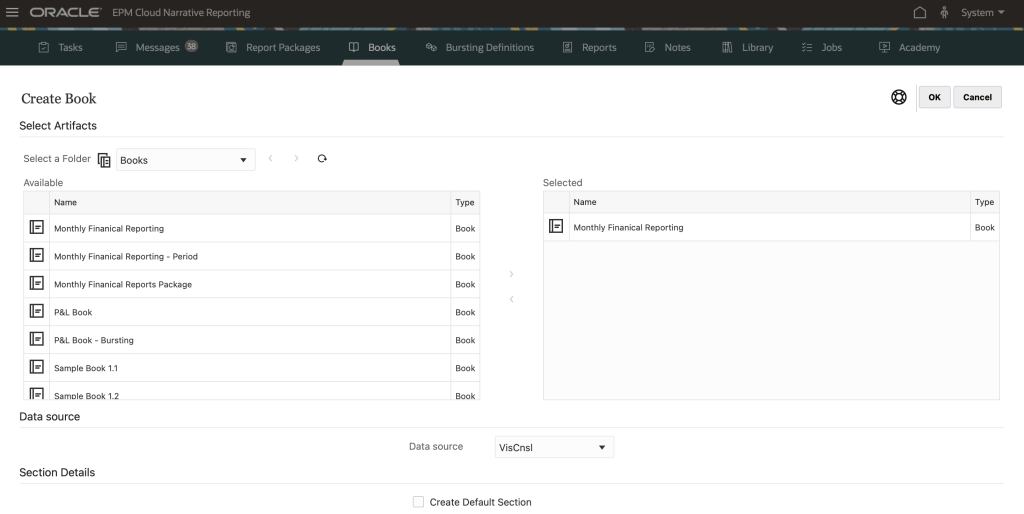
Also you have the concept of Books, so books allow to group together reports, run them for multiple members, and really distribute those to end users in either PDF or Excel.
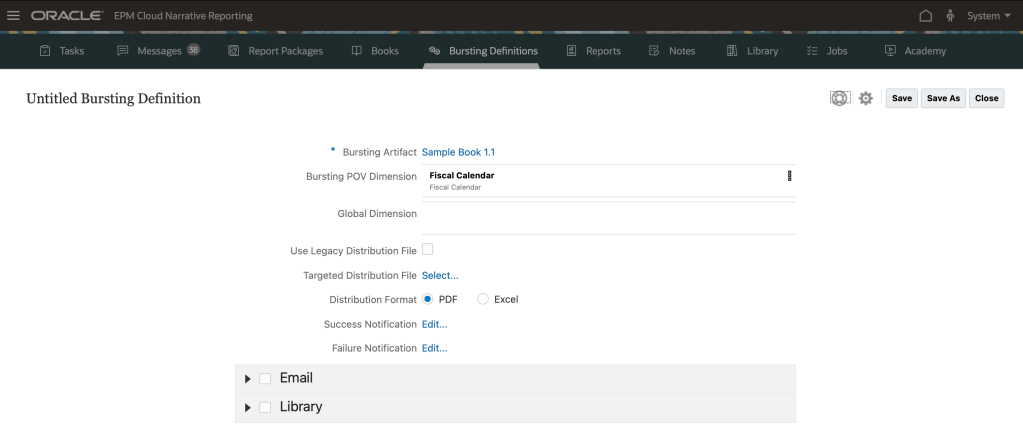
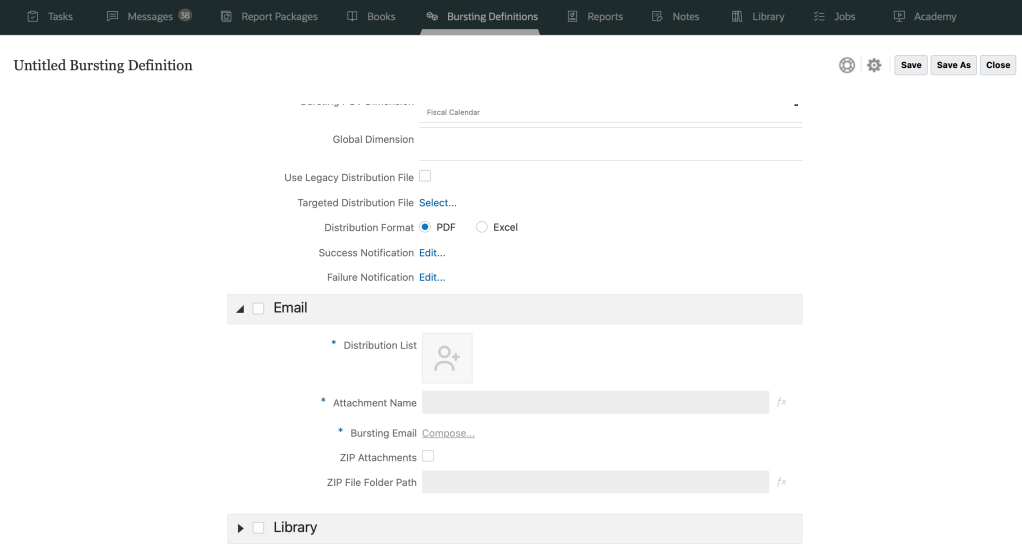
Also the Bursting definition concept, that allows to publish a report or book across a dimensions members, which you can schedule or automate.
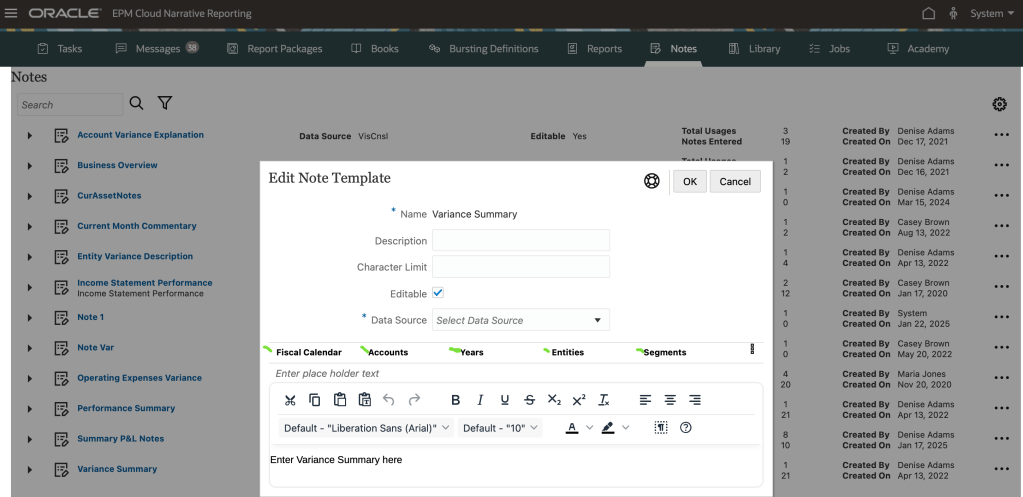
Lastly, within Narrative reporting, you have the Notes feature that can be used to enter a structured POV(Point Of View)-based narrative text, whether it’s a note box or in for example, a note column within a grid.
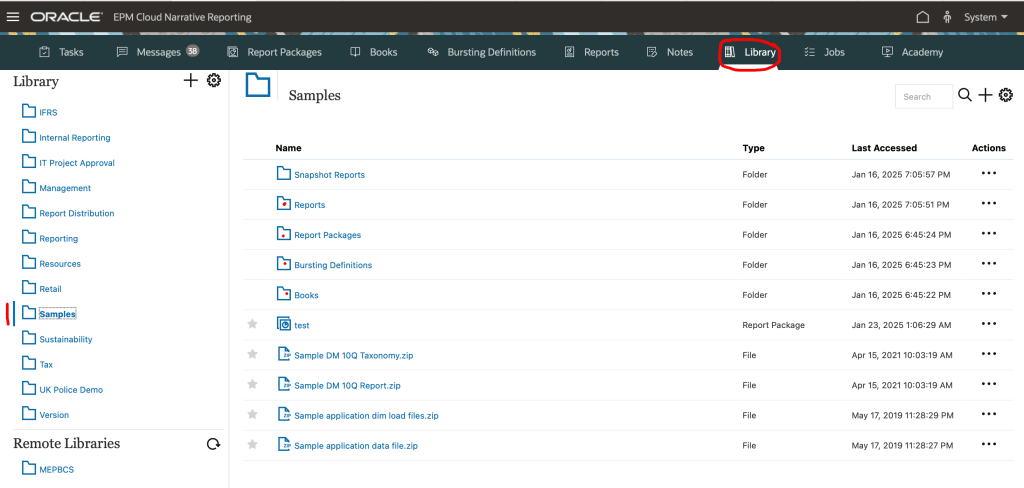
Narrative Reporting provides samples to help you learn how to use each functionality, You can use:
Sample Report Packages, Sample Reports, Sample Books, Sample Bursting Definitions . In the library section, like shown in picture:
Next post will cover the generative AI introduced within the Narrative Reporting from the release 24.10.
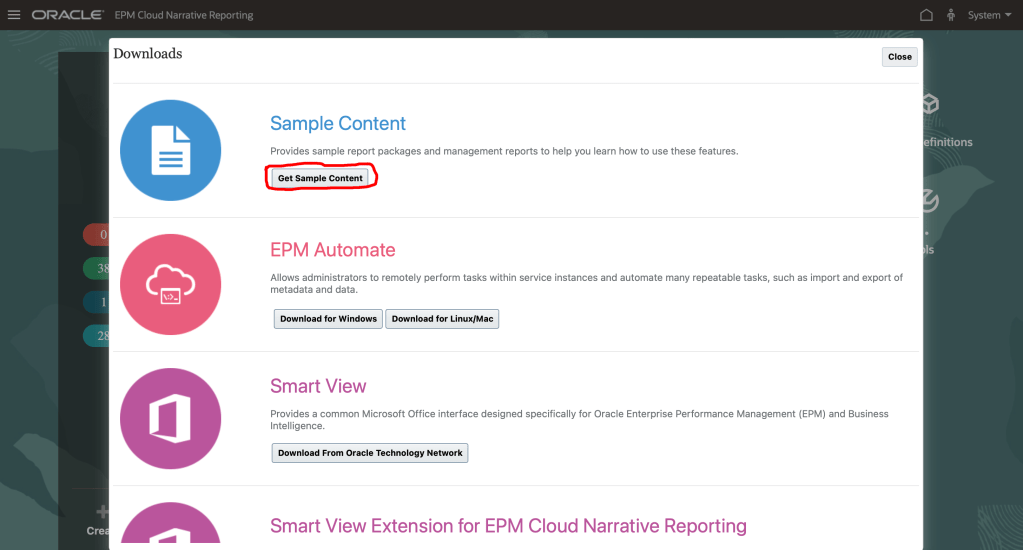
Finally , if you are new with the Narrative Reporting sample reports , go into Downloads
There’s a ‘Get Sample Content’ button, that generate a sample Essbase cube in the background
Loads up all the artifacts, which include reports, books bursting definitions, report packages , notes …


 Sanae BEKKAR - My Blog -
Laisser un commentaire