Welcome to this OIC3 new series, where I will bring you to discover the new features and enhancements , starting by ‘Application Integration’ component , then OPA-Oracle Process Automation and finally ERP and HCM Cloud integration.
Lets’ get started !
Oracle is named as a Leader in Gartner’s Magic Quadrant™ for Integration Platform as a Service (iPaaS) for the seventh consecutive time .
Oracle Integration provides a complete portfolio of automation capabilities : Integration on-premises and Cloud apps , process automation , analytics & insights.
Today all the customers that use OIC Gen2 must upgrade to Oracle Integration 3 during 2024. If today , you provision a new Integration instance , the version is by default : Oracle Integration 3 , as shown here :
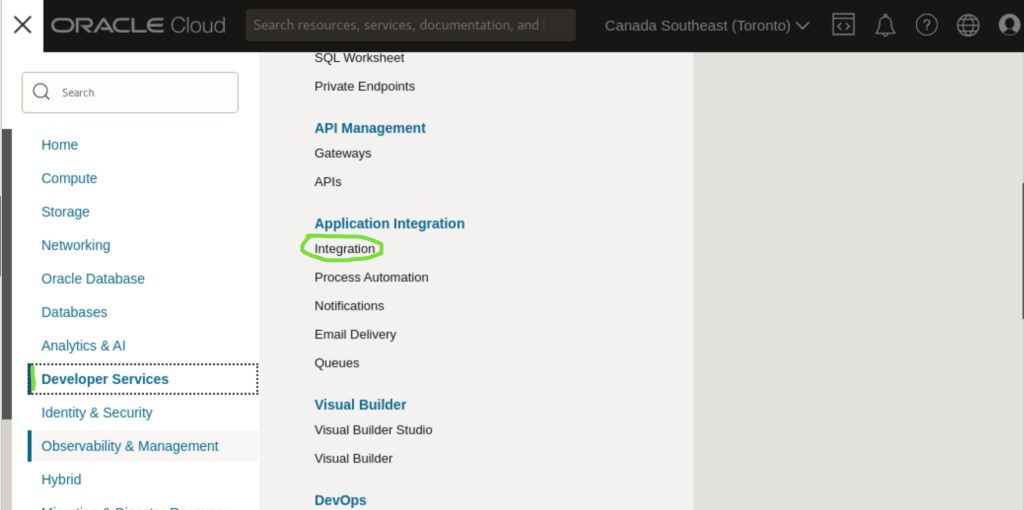
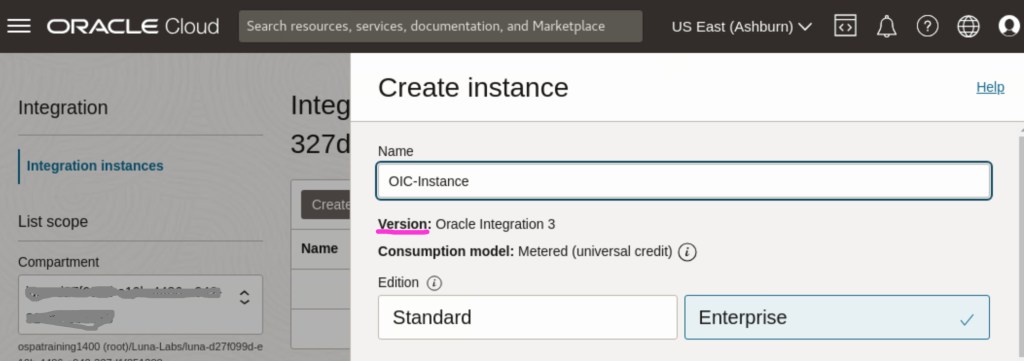
Now let’s go ahead to check the main features & enhancements !
[New Feature] Redwood UX Design System
Redwood is the name of Oracle next generation user experience . It gives a sophisticated User experience by using a complete sets of Oracle JET Components, Composites , Templates and patterns to develop your entreprise application or to extend Oracle Fusion Apps using VBCS-Visual Builder Cloud Service.

Here’s a useful link that list all components, patterns, templates to design and develop with Redwood Design system : https://redwood.oracle.com/?pageId=CORE6CE1FA0A24ED4DC68345E7E282654819&shell=simple-content
[New Feature] Project
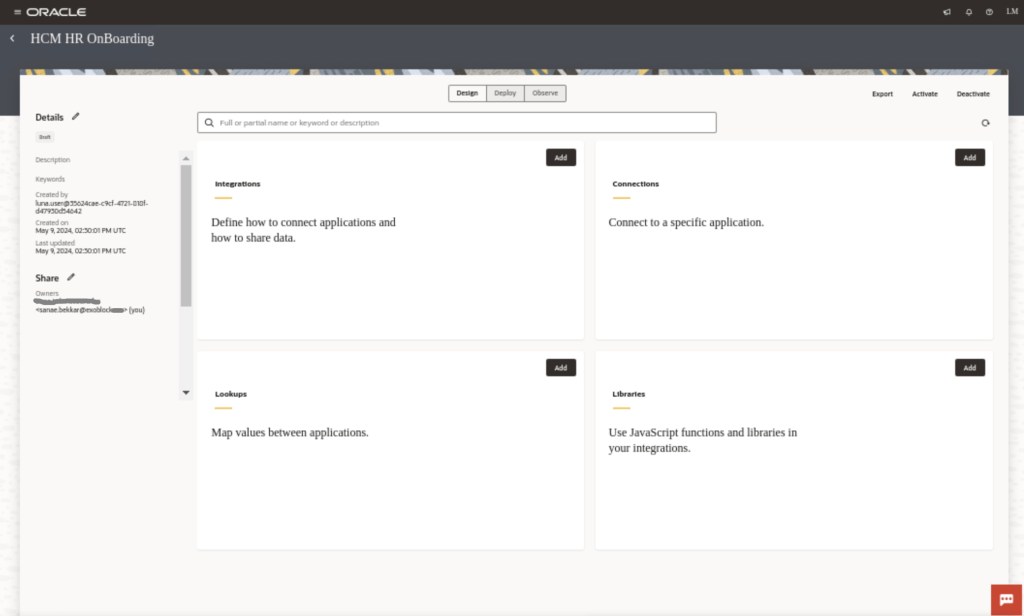
A project can be defined per business groups (like : Accounting , Payroll , HR ..) or Oracle module( like, Financials , HCM , SCM ..) ,it includes all the associated resources [integrations, connections, Lookups , Libraries] .
What about RBAC-Resources Based Access Control ?
It’s a new section called ‘Share’, that allow you to define who are the owners of the project , who can Edit | View | Monitor .

For example, a financials team access just to their authorized projects and cannot access to the integrations of the CX team .That’s provide more organization during the navigation, testing , monitoring.
Because integrations are visible just inside project , it’s possible to share it with other project , just enable this option when you create your integration like shown in picture.

[New Enhancement] Native actions for OCI
No need to use a REST call like it was with Gen2. As an integration developer invoke locally to your integration a prebuild adapter to call an OCI services : OCI Functions , OCI Object Storage.
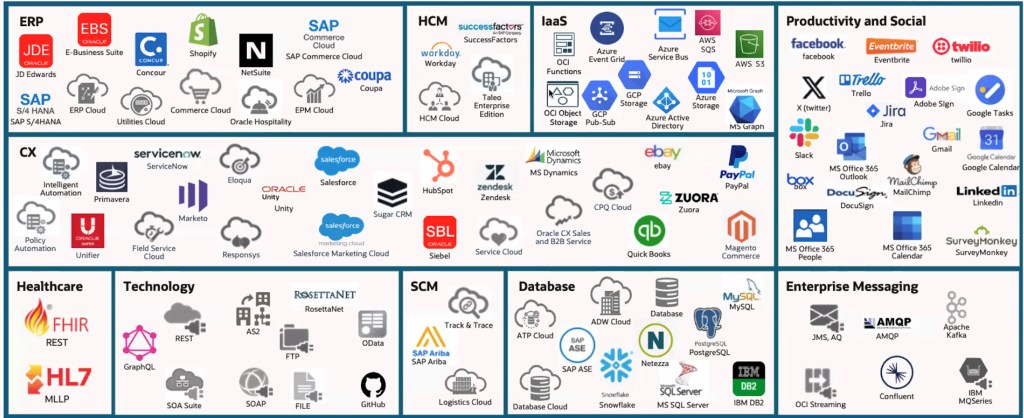
[New Enhancement] More adapters
Continuous delivery of a new adapters , like the new IaaS adapters: Azure Service Bus, Azure AD, Azure Storage , Google BigQuery … Helps to build quickly and efficiently.
Thanks for reading !
 Sanae BEKKAR - My Blog -
Laisser un commentaire