WebUrlMapPlugin Component
WebCenter Content uses an Oracle WebLogic Server, which has a built-in web server, to filter pages through a web browser.
User requests are authenticated with the Oracle WebLogic Server user store, or other configured user store, and communicated with the Content Server instance.
The WebUrlMapPlugin component enables you to map shortened URLs to other URLs using a substitution script for the mapping, which also enables you to map long URLs to abbreviated versions.
The WebUrlMapPlugin component is installed (enabled) by default with the Content Server instance.
Add/Edit URL Mapping Entries
To add or edit URL mapping entries:
1. On the Content Server home page, choose Administration, then WebUrlMapPlugin.
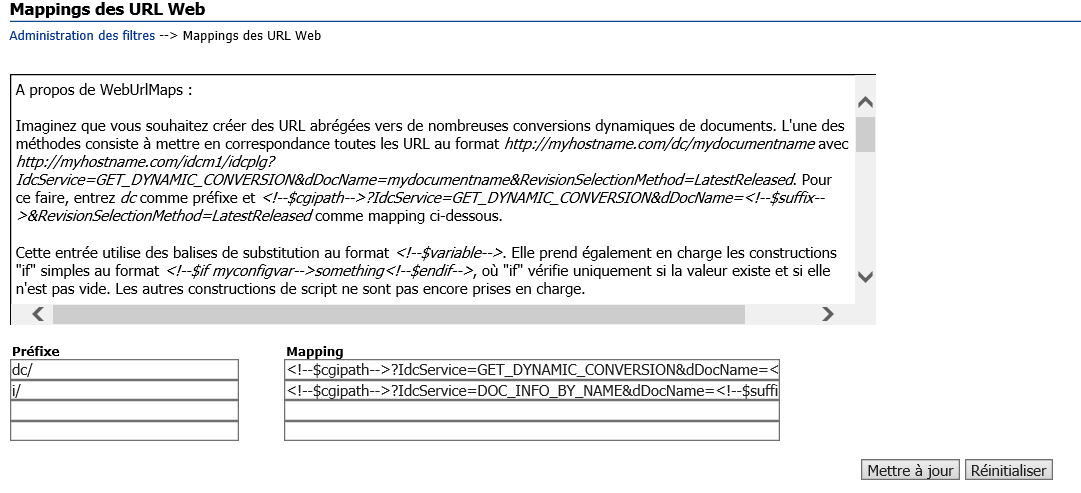
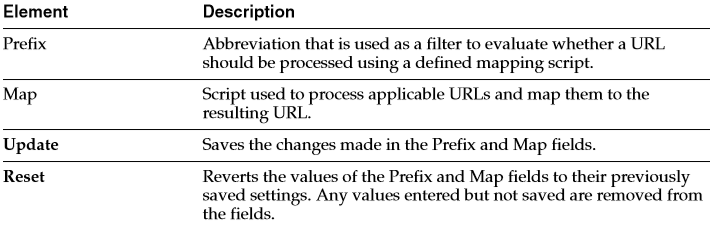
2. In the WebUrlMaps page, enter the appropriate values in the Prefix and Map fields to edit the existing mapping entries, or define new entries, or both.
3. Click Update. The page refreshes and the Prefix and Map field values are saved. If all of the displayed fields are populated, two additional Prefix and Map field pairs are displayed after the page is redisplayed.
Important: The WebUrlMapPlugin feature is designed to support hundreds of mapping entries. However, be aware that thousands of mapping entries will impact performance of the web server.
Info Update Form
You can define a web URL mapping script that enables you to create a shortened URL to generate the Info Update Form for existing content items.
You can write the mapping script to allow users to enter any identification variable for a particular document.
For example, all URLs with the following format:
http://myhostexample.com/u/mydoc_parameter
can be mapped to the URL:
http://myhostexample.com/idcm1//idcplg?IdcService=GET_UPDATE_ FORM&dDocName=mydocumentname
To map URLs, define the following web URL map entry using the WebUrlMaps page:
■ Prefix:
u/
■ Map:
<!–$cgipath–>?IdcService=GET_UPDATE_ FORM<!–$suffix–>&myparam=<!–$myparam–>
Dynamic Conversion
Dynamic Converter must be installed for this URL mapping example to work.
For information on Dynamic Converter, see Managing Oracle WebCenter Content.
You can define a web URL mapping script that enables you to create shortened URLs to various dynamic conversions of documents.
For example, all URLs with the following format:
http://myexamplename.com/dc/mydocumentname
can be mapped to the URL:
http://myhostexample.com/idcm1/idcplg?IdcService=GET_DYNAMIC_ CONVERSION&dDocName=mydocumentname&RevisionSelectionMethod=LatestReleased
To map URLs, define the following web URL map entry using the WebUrlMaps page:
■ Prefix:
dc/
■ Map:
<!–$cgipath–>?IdcService=GET_DYNAMIC_ CONVERSION&dDocName=<!–$suffix–>&RevisionSelectionMethod=LatestReleased
Used to add or edit URL mapping entries. It performs the mapping inside the Oracle WebLogic Server domain.
 Sanae BEKKAR - My Blog -
Laisser un commentaire