Problem :
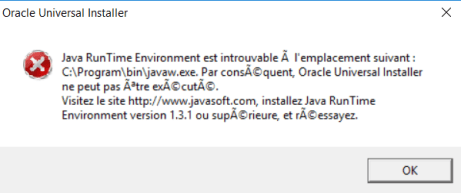
The Java RunTime Environment was not found at \bin\javaw.exe
Solution :
Never ever install any Oracle component including Java into the Windows « Program Files » / « Program File(x86) » system directories since they contain a blank space.
- Install Java SDK to a non-blank-space directory such as C:\Oracle\Java\jdk1.6.0_45 (jdk version of your choice)
- Adapt your JAVA_HOME and PATH system variable accordingly
JAVA_HOME = C:\Program Files\Java\jdk 1..; which is correct location in your pc;
PATH=C:\Program Files\Java\jdk1…\bin; C:\Program Files\Java\jdk1.7.0_51\jre\bin;
- Install your Oracle database into a directory not containing any blank spaces, e.g. C:\Oracle\XE112.
- Install your Oracle components to a middleware home directory not containing any blank spaces, e.g. C:\Oracle\FMW11119 or C:\Oracle\FMW11gR1.
 Sanae BEKKAR - My Blog -
Laisser un commentaire