Problem:
Changing the SyncMaxWaitTime parameter Usually the Oracle BPEL Process Manager generates the following error if the synchronous transactions take more than 45 seconds to complete:
nested exception is: javax.transaction.RollbackException: Timed out
The solution :
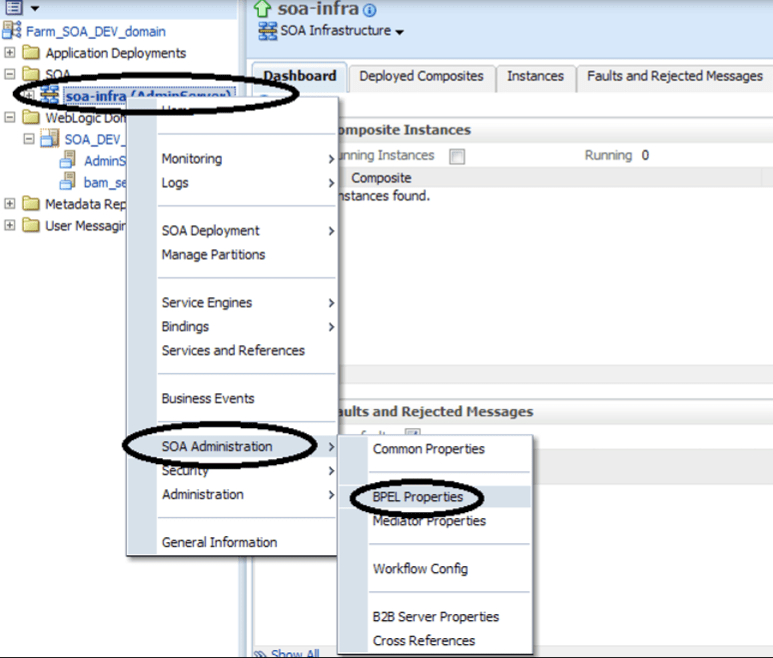
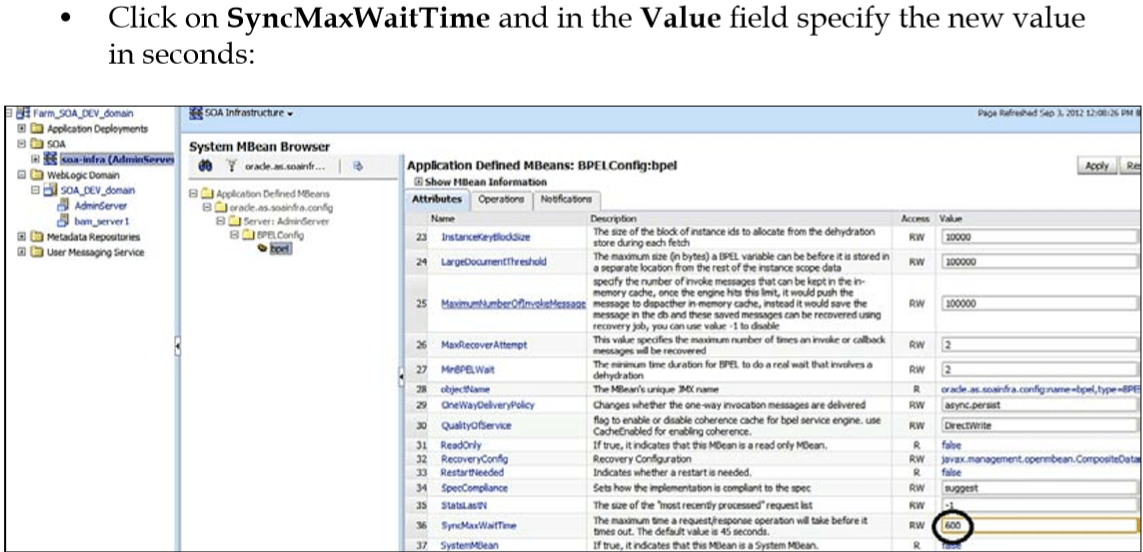
It’s to set syncMaxWaitTime to 600 or more in the Process Manager console (the default is 45). • Log in to Enterprise Manager (EM) (http://{hostname}:{port}/em) • Right-click on SOA and select BPEL Properties from under SOA Administration, as shown in the following screenshot:
 Sanae BEKKAR - My Blog -
Laisser un commentaire